Understanding Usability in Human-Computer Interaction
Explore the core principles of usability in Human-Computer Interaction (HCI), including key metrics like ease of learning, performance speed, error rates, retention, and user satisfaction. This guide details how usability motivations vary across different domains, from life-critical systems to entertainment application
In the field of Human-Computer Interaction (HCI), usability is far more than just making a system "user-friendly." It is a rigorous, interdisciplinary science that combines insights from psychologists, computer scientists, anthropologists, and designers to ensure that interactive systems meet the specific needs of their users. Because different types of systems serve vastly different purposes, the definition of "good usability" changes depending on the context. A surgeon using medical equipment has different requirements than a teenager playing a video game.
Understanding these varying motivations is essential for professionals to set the right design goals and prioritize the right metrics during development.
Measuring Usability: Key Metrics
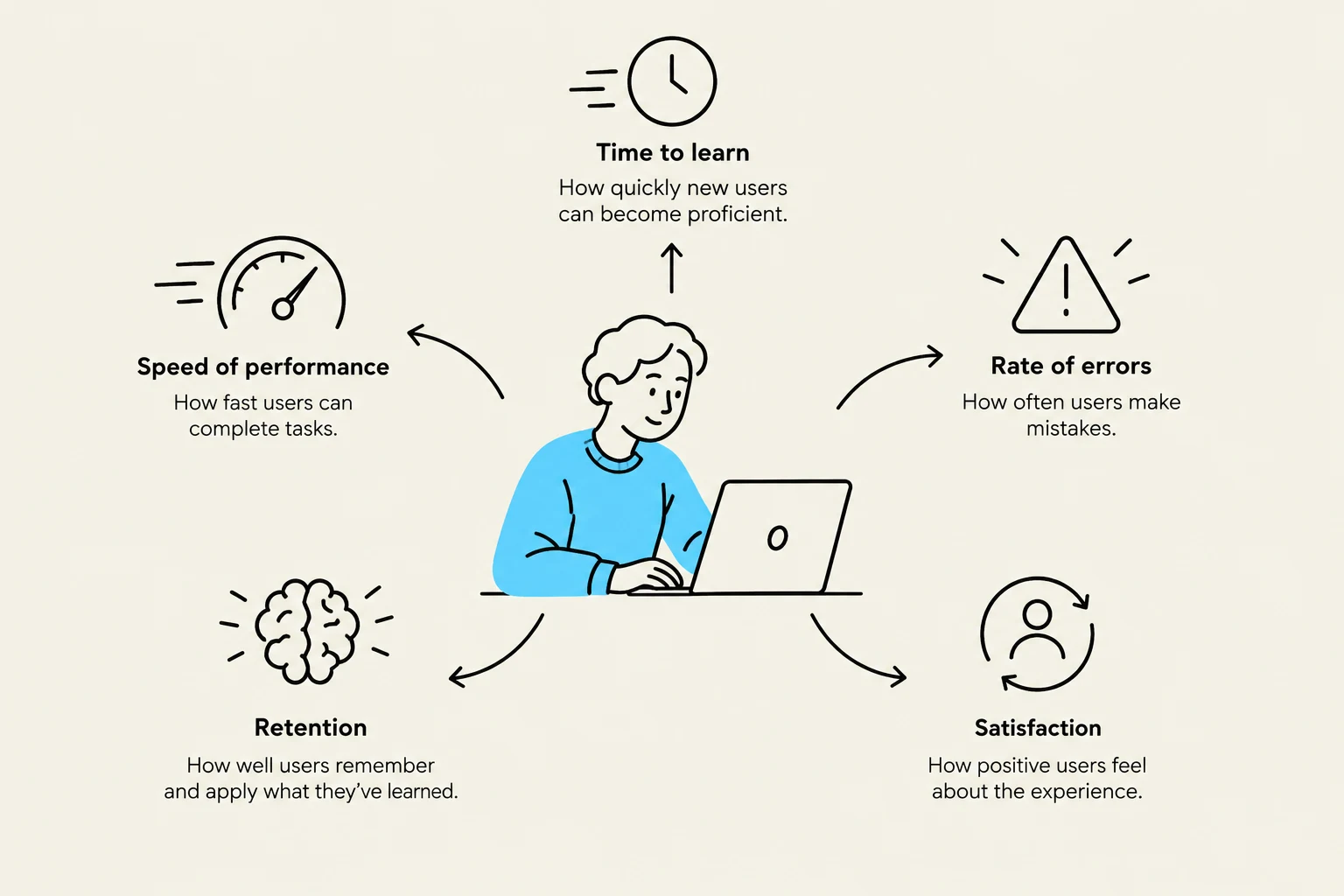
Before diving into specific domains, we must understand how usability is quantified. Designers move beyond vague terms like "intuitive" and instead focus on measurable human factors. When evaluating a community of users, five central factors are typically considered:
Ease of Learning: How long does it take for a typical member of the community to learn the relevant tasks?
Speed of Performance: How quickly can users perform benchmarked tasks?
Error Rates: How many and what kinds of errors are made during these tasks?
Retention Over Time: How easily can users return to the system after a period of non-use?
Subjective Satisfaction: What is the user's emotional response, often measured via interviews, satisfaction scales, or free-form comments?
Study Tip: In exam scenarios, remember that "usability" is not a single number. It is a multi-dimensional profile. For example, a system might have high speed but low subjective satisfaction, or high ease of learning but high error rates.
This diagram illustrates key metrics for evaluating user experience: speed of performance, time to learn, rate of errors, retention, and satisfaction.
Usability Motivations Across Domains
The motivation for designing a usable interface depends heavily on the "stakes" of the system. We can categorize these into several distinct domains:
Life-Critical Systems
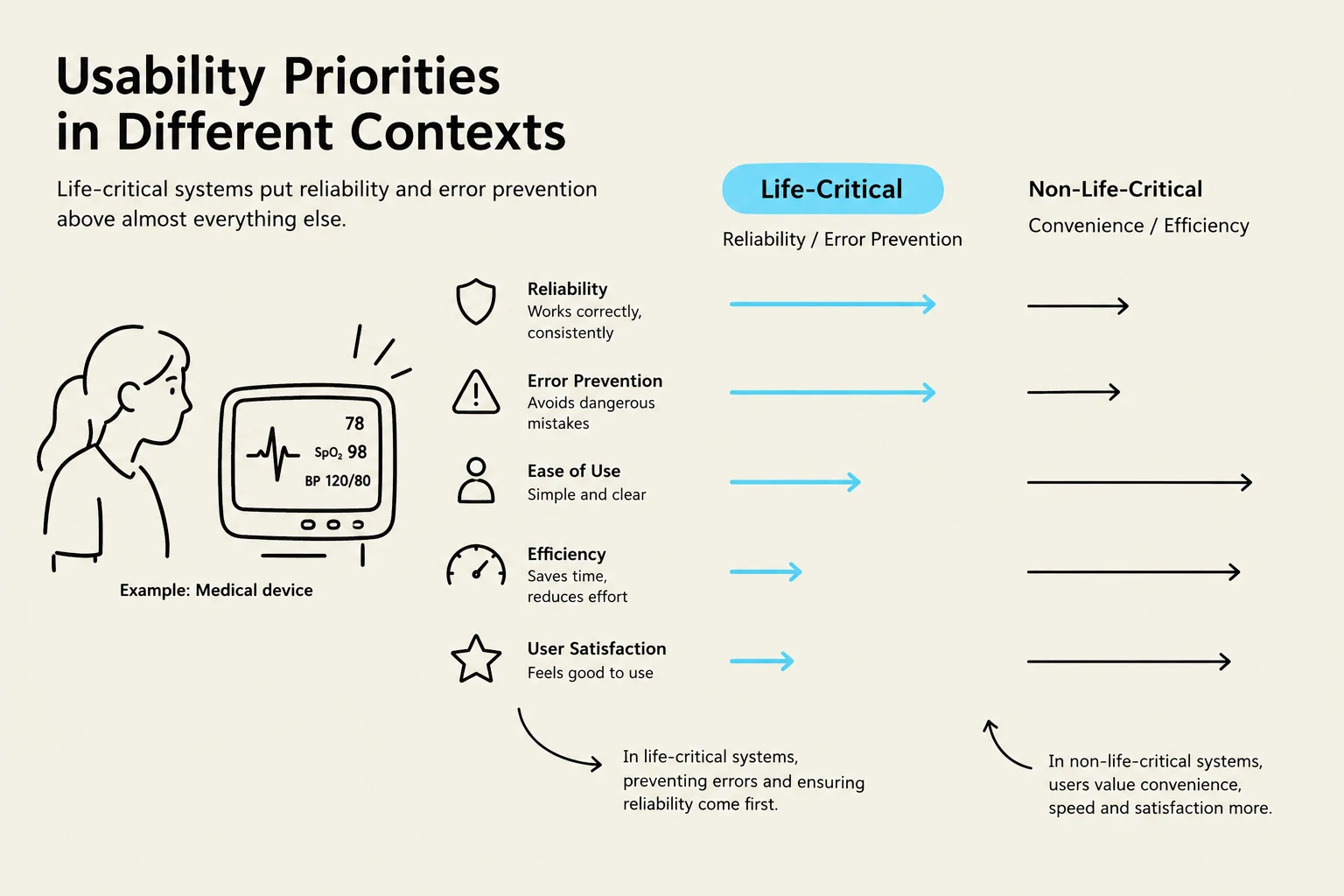
These include air traffic control, nuclear reactors, medical equipment, and emergency dispatch systems. In these environments, the primary motivation is reliability and effectiveness. While users are often highly motivated and may undergo lengthy, expensive training, the cost of a single error can be catastrophic. For these systems, subjective satisfaction is often a secondary concern compared to error prevention.
Industrial and Commercial Uses
This category covers banking, inventory management, and point-of-sale systems. Here, the focus shifts toward economic efficiency. Ease of learning is vital to reduce training costs, and both speed and error rates are directly tied to the cost of transactions. Additionally, designers must consider subjective satisfaction to prevent operator burnout in high-repetition environments.
Office, Home, and Entertainment Applications
From word processors to video games, these systems are often used for leisure or routine tasks. Because use is often discretionary (users can easily switch to a competitor), ease of learning, low error rates, and subjective satisfaction are paramount. Because these systems serve a massive, diverse population ranging from novices to experts, interfaces must be intuitive and often rely on online help.
This diagram illustrates the differing priorities in usability for life-critical versus non-life-critical systems. Life-critical systems emphasize reliability and error prevention, while non-life-critical systems prioritize convenience and efficiency.
Exploratory, Creative, and Cooperative Systems
These include web browsers, artist toolkits (like Sketchbook™), and scientific modeling systems. In these domains, the goal is to make the computer "transparent" so the user can be fully absorbed in their creative or investigative task. Unlike industrial systems, it is often difficult to establish standard benchmarks for exploratory tasks.
Social-Technical Systems
These are complex systems involving many people over long periods, such as voting systems, identity verification, or crime reporting. The primary motivations here are trust, privacy, and security. Users need verifiable sources and status feedback to build trust, while administrators require tools to monitor for unusual patterns of usage.
Professional Goals and the Path Forward
The ultimate goal for HCI professionals is to provide the tools and knowledge necessary to build these diverse systems effectively. This involves several key professional objectives:
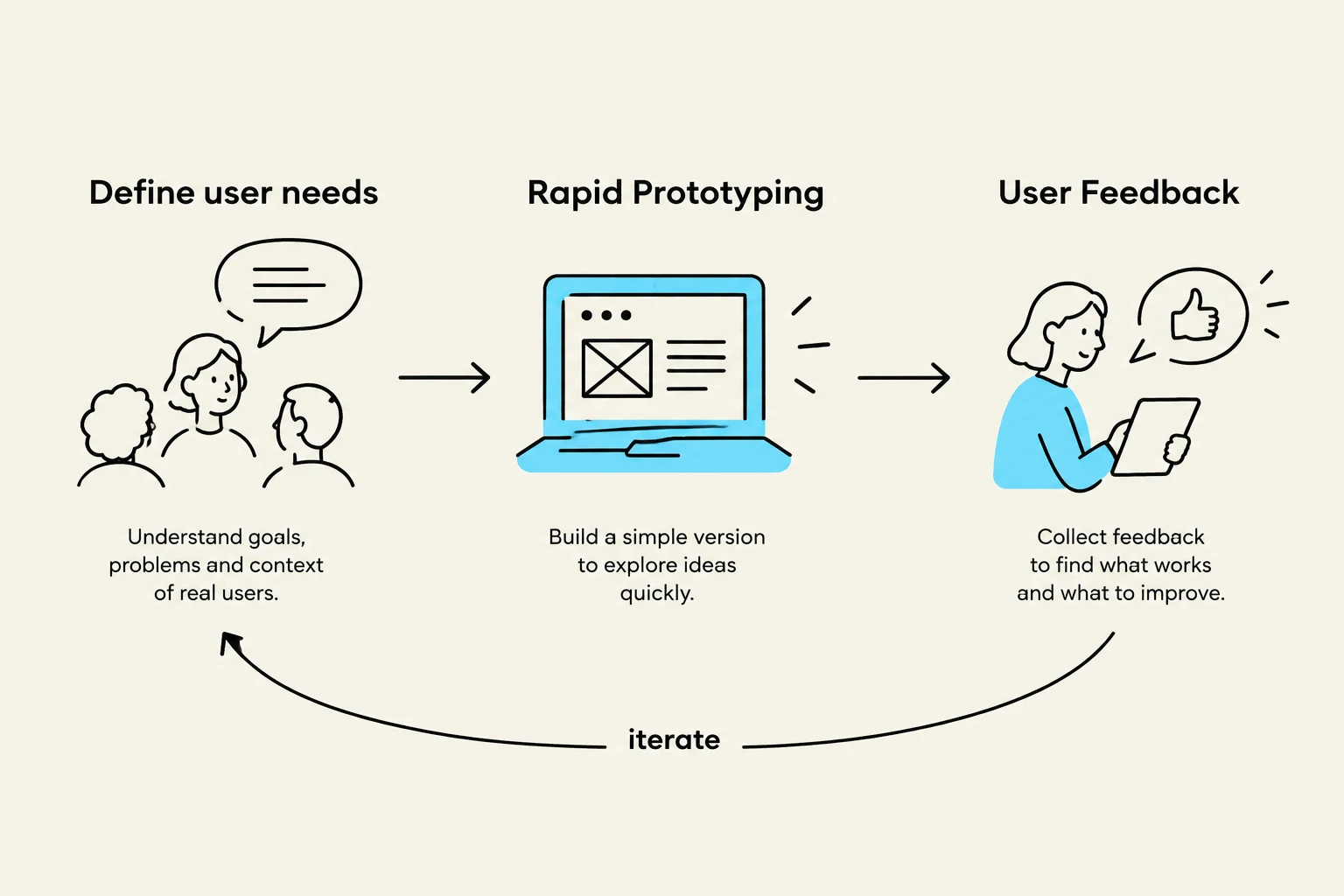
Rapid Prototyping: Using contemporary tools to create mockups or high-fidelity prototypes allows designers to get user feedback early and more inexpensively.
Refining Systems through Feedback: Using both individual and group feedback to iterate on designs.
Reducing User Anxiety: Many novice users are fearful due to previous experiences with poor design. A professional goal is to create "clear, competent, and non-threatening" designs that help users overcome this fear.
Addressing Future Challenges: The profession continues to evolve, tackling new topics such as social media participation, information exploration, and the graceful evolution of existing interfaces.
This diagram illustrates a user-centered design process, involving defining user needs, rapid prototyping, and user feedback, with an iterative loop.
By understanding that usability is not a "one size fits all" concept, designers can tailor their efforts—whether they are minimizing errors in a hospital or maximizing joy in a video game—to meet the specific demands of the human-computer relationship.
Keep reading for free.
Create an account to finish this reading and make it part of your study routine.