An exploration of Human-Computer Interaction (HCI) as an interdisciplinary design science, focusing on usability, user experience, and design principles for creating effective and user-friendly technologies.
In the modern digital era, we are constantly surrounded by interfaces—from the smartphones in our pockets to the complex control systems in nuclear power plants. Human-Computer Interaction (HCI) is the study of how people interact with these technologies and how to design them more effectively. Rather than being a single discipline, HCI is an interdisciplinary design science that bridges the gap between human behavior and computational power.
An Interdisciplinary Design Science
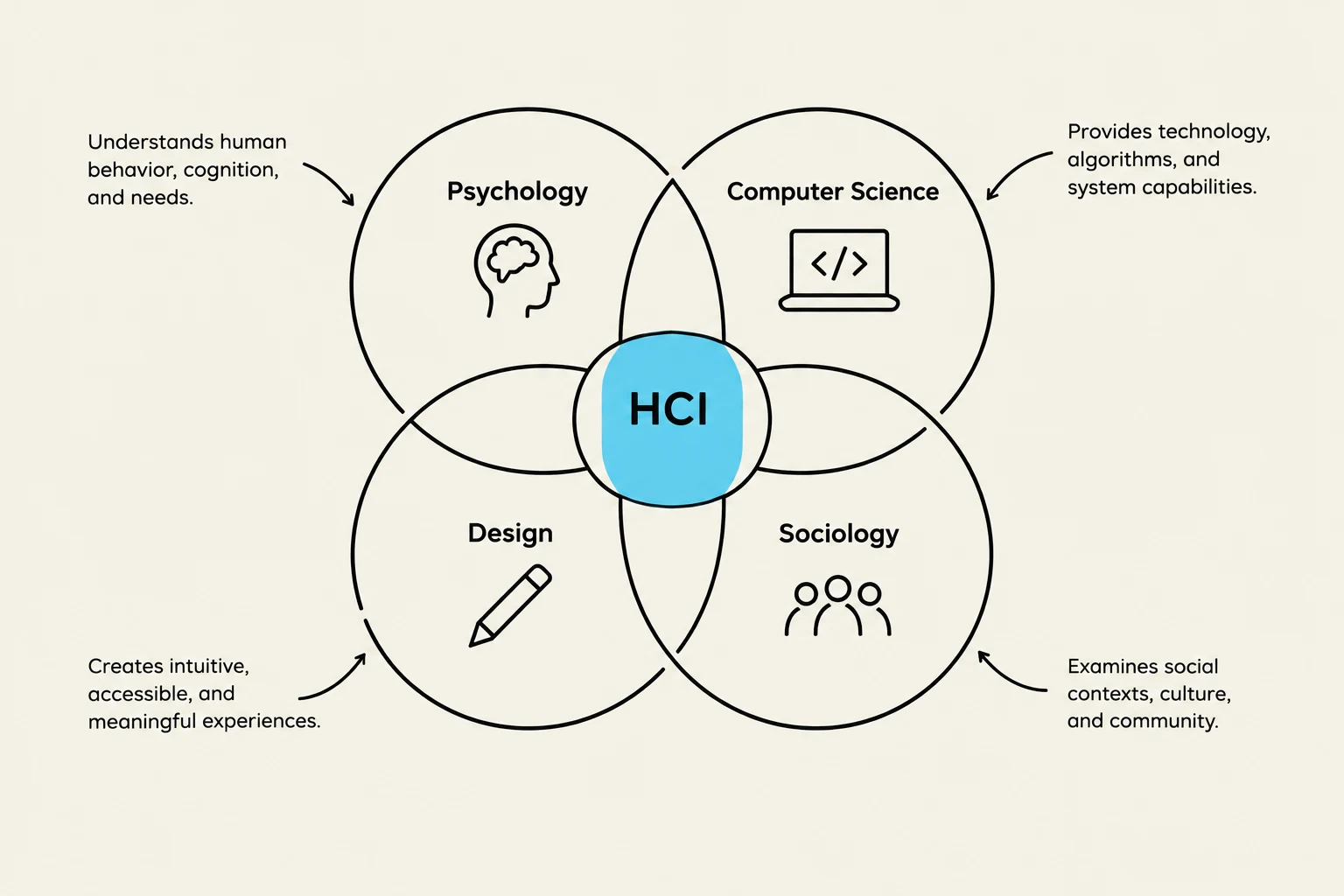
HCI does not exist in a vacuum. To understand how a human uses a machine, researchers must combine knowledge from a wide array of fields. This collaborative approach ensures that systems are not just technically functional, but also psychologically sound and socially appropriate. Key contributors to the field include:
Psychologists: Experimental, educational, social, and industrial psychologists help us understand cognition, memory, and human perception.
Computer Scientists: They provide the technical foundation for building the interactive systems.
Designers: Instructional and graphic designers focus on the visual and educational aspects of the interface.
Human Factors and Ergonomics Experts: They ensure the physical and cognitive interaction is optimized for human capabilities.
Social Scientists: Anthropologists and sociologists help us understand how technology impacts communities and social structures.
This diagram illustrates the interdisciplinary nature of Human-Computer Interaction (HCI), showing its connections to Psychology, Computer Science, Design, and Sociology.
Usability of Interactive Systems
The primary goal of HCI is to improve the usability of interactive systems. Usability is more than just "user-friendliness"; it is a measurable quality of how effectively, efficiently, and satisfactorily a user can achieve their goals.
Usability Goals and Measures
Successful designers move beyond vague terms like "intuitive" or "natural". Instead, they rely on specific goals and metrics to evaluate their work. When evaluating a community of users, designers typically focus on five central human factors:
Time to learn: How long does it take a typical member to master the task?
Speed of performance: How quickly can the user perform benchmark tasks?
Rate of errors: How many mistakes are made, and what types are they?
Retention over time: How easily can a user return to the system after a period of non-use?
Subjective satisfaction: How do users feel about the experience (often measured via interviews or scales)?
Usability Motivations
The motivation for prioritizing usability changes depending on the context of the application:
Life-Critical Systems: In air traffic control or medical equipment, usability is a matter of safety. High reliability and effectiveness are mandatory, even if training is lengthy.
Industrial/Commercial Systems: In banking or inventory management, the focus is on reducing training costs and increasing transaction speed to minimize errors.
Office and Entertainment: In gaming or word processing, the competition is fierce. Here, ease of learning and subjective satisfaction are paramount because use is often discretionary.
Exam Tip: If asked to differentiate between usability in "life-critical" vs. "entertainment" systems, remember that life-critical systems prioritize reliability and error prevention above all, whereas entertainment systems prioritize subjective satisfaction and ease of learning to compete in the market.
User Experience and Universal Usability
While usability focuses on task completion, User Experience (UX) encompasses the broader emotional response of the user. Great designers are committed to enhancing the UX by eliciting positive emotional responses, using animations to attract attention, or even "playfully surprising" the user.
A key challenge in modern HCI is achieving Universal Usability. This involves designing systems that work effectively for a diverse range of users, regardless of their age, ability, or cultural background.
Levels of Interaction
Interaction can be analyzed at different scales:
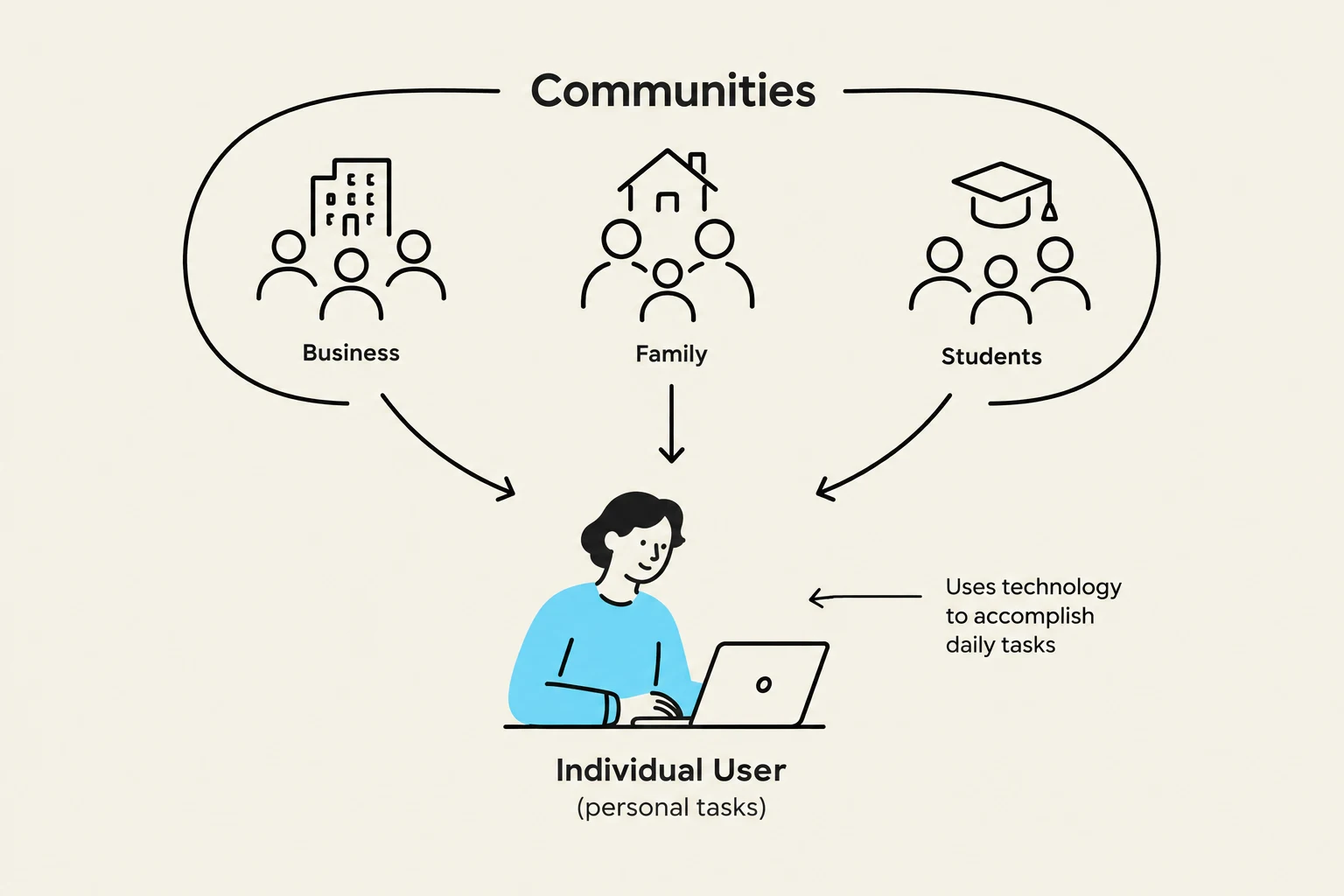
Individual User Level: This involves personal tasks such as preparing tax returns, medical diagnosis support, education/training, or leisure activities like social networking.
Communities: This looks at how technology serves groups, such as business use in financial planning, family use for entertainment, or the impact of globalization on language and culture.
This diagram illustrates how individuals interact with various communities, including business, family, and students, using technology for daily tasks.
Design Principles for Professionals
To create high-quality interfaces, designers must adhere to several core principles:
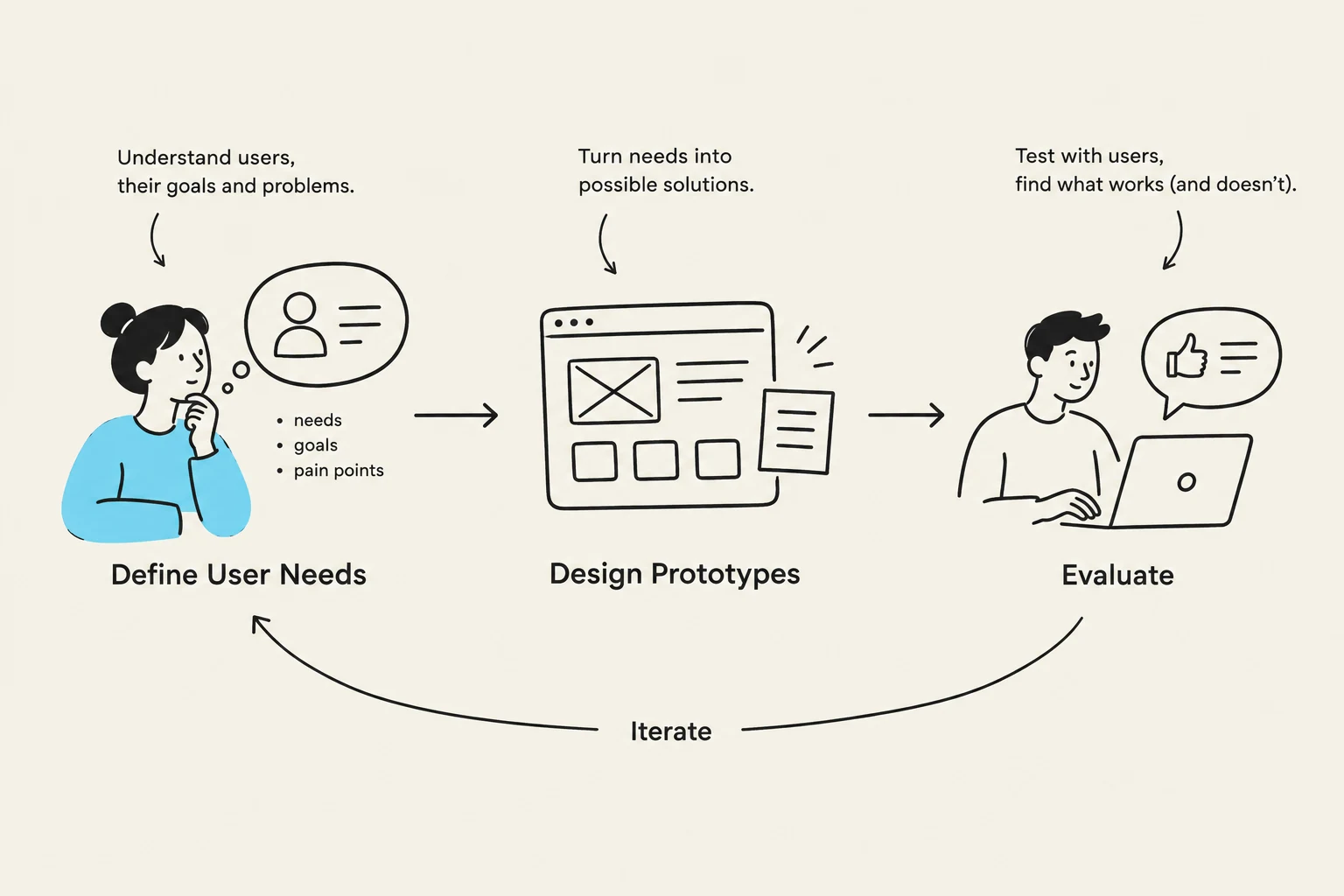
Ascertain User Needs: Determine exactly what tasks and subtasks must be carried out, including those performed only occasionally.
Ensure Reliability: The system must function as specified, protect user privacy, and prevent data tampering.
Promote Standardization and Consistency: Use industry standards (like ISO) to aid learning and ensure that similar actions use similar terms, colors, and sequences within the program.
Portability and Integration: Ensure data can be converted across environments and that the product can run across different software tools.
Design Trade-off Note: Designers often face a trade-off between getting early feedback using low-fidelity mockups versus waiting to evaluate a high-fidelity, authentic prototype later in the development process.
The Future of the Profession
The goals of the HCI profession continue to evolve. Future research and practice aim to:
Reduce anxiety and fear regarding computer usage, especially among novice users.
Explore new input devices and information exploration methods.
Refine systems through continuous feedback from both individuals and groups.
By focusing on clear, competent, and non-threatening designs, HCI professionals can raise the "computer consciousness" of the general public and ensure that technology serves humanity effectively.
This diagram illustrates the iterative process of user-centered design, encompassing defining user needs, designing prototypes, and evaluating them.
Keep reading for free.
Create an account to finish this reading and make it part of your study routine.