


In COBOL programming, the PROCEDURE DIVISION is where the "action" happens. While the DATA DIVISION defines what your data looks like, the PROCEDURE DIVISION contains the actual executable instructions that tell the computer what to do with that data. This includes performing arithmetic, moving information between fields, handling files, and controlling the flow of the program through logic and loops.
The Structure of Logic: Paragraphs and Control
The PROCEDURE DIVISION is organized into a hierarchy of modules known as paragraphs. A paragraph is a named block of code that performs a specific task. In a well-structured program, a "main" paragraph acts as a controller, using the PERFORM statement to call subordinate paragraphs to do the heavy lifting.
For example, a high-level paragraph named 200-COMPUTE-PAY might control three specific sub-tasks: 300-COMPUTE-GROSS-PAY, 301-COMPUTE-TAX-PAYABLE, and 302-COMPUTE-NET-PAY. This modular approach makes code easier to read, test, and maintain.

To end the execution of a program, the STOP RUN statement is used, which signals to the operating system that the program has finished its work.
File Handling: Opening, Reading, and Writing
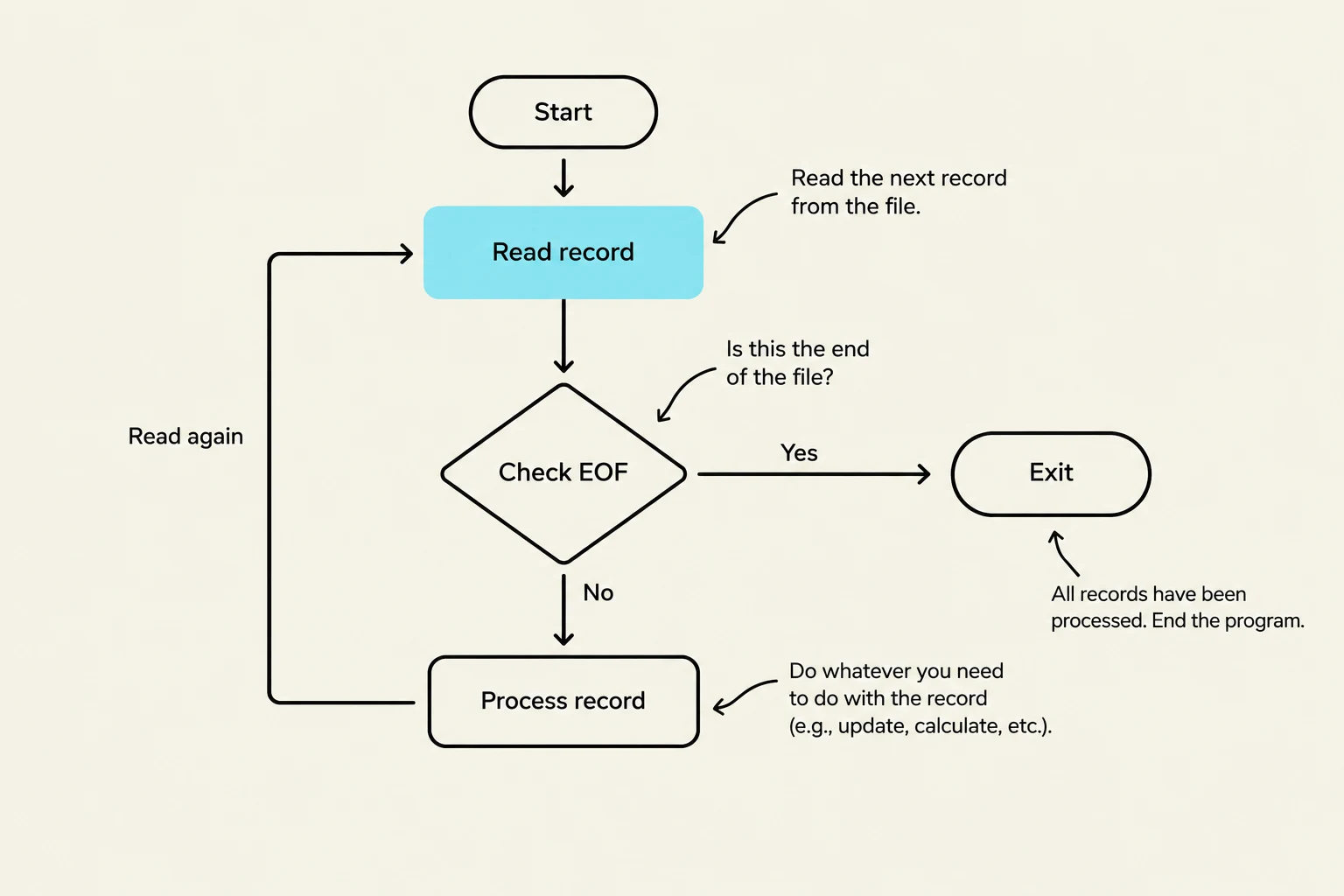
File handling is one of the most critical aspects of COBOL, especially in business environments where processing large amounts of data is standard. Before any data can be accessed, files must be explicitly opened using the OPEN statement.
Opening and Closing Files
Sequential files can be opened for input (OPEN INPUT filename) or for output (OPEN OUTPUT filename), but generally not both simultaneously. Once you are finished processing, you must use the CLOSE statement to release the file.

Keep reading for free.
Create an account to finish this reading and make it part of your study routine.
Continue reading freeAlready have an account? Log in
Updated