Automation and Human Control in Human-Computer Interaction
Explores the balance between automation and human control in Human-Computer Interaction (HCI), discussing supervisory control, autonomous agents, adaptive interfaces, and the importance of maintaining user agency through tools and visualization.
In the field of Human-Computer Interaction (HCI), one of the most delicate balancing acts is determining how much control a machine should exert over a user. As systems become more sophisticated, the temptation to automate every task increases. However, the goal of successful integration is not to replace the human, but to augment them. When automation is implemented correctly, it allows users to avoid routine, tedious, and error-prone tasks, freeing their cognitive resources to concentrate on making critical decisions, coping with unexpected situations, and planning future actions.
The Spectrum of Control: Supervisory and Autonomous Systems
The relationship between a human and a machine exists on a spectrum. On one end, we have systems that act as simple tools, and on the other, we have systems that act as independent agents.
Supervisory Control
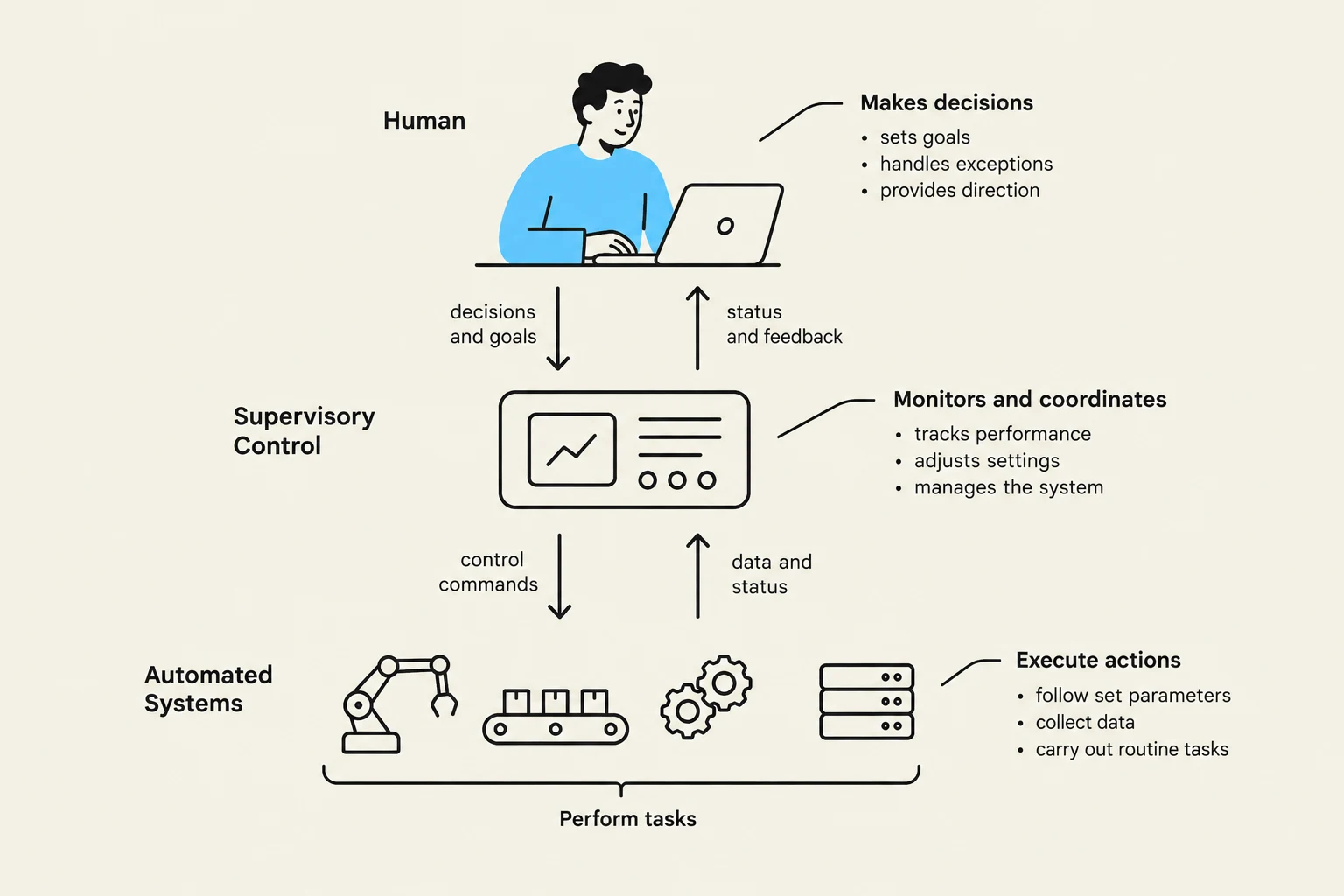
In many high-stakes environments, such as air-traffic control, the system cannot be fully autonomous because the consequences of failure are too high. These are often "open systems" that interact with a complex, unpredictable real world. In these scenarios, we utilize supervisory control. Here, the human acts as a manager or supervisor. The system handles the low-level, repetitive mechanics, but the human remains in the loop to handle high-level oversight and intervention. For example, the FAA suggests that design should place the user in control and automate only to improve system performance, without reducing human involvement.
This diagram illustrates the interaction between a human operator, a supervisory control system, and automated systems in a workflow. The human makes decisions, the supervisory control monitors and coordinates, and the automated systems execute tasks.
Autonomous Agents
Moving further along the spectrum, we encounter autonomous agents. Unlike a tool that waits for a command, an autonomous agent is designed to be proactive. A truly effective autonomous agent should:
Know the user's likes and dislikes.
Make proper inferences based on context.
Respond intelligently to novel or unexpected situations.
Perform competently with very little direct guidance.
Exam Tip: When distinguishing between supervisory control and autonomous agents, remember that the key difference lies in the level of initiative. Supervisory control requires a human to monitor and intervene, while autonomous agents attempt to anticipate needs and act independently.
Adaptive Interfaces and User Modeling
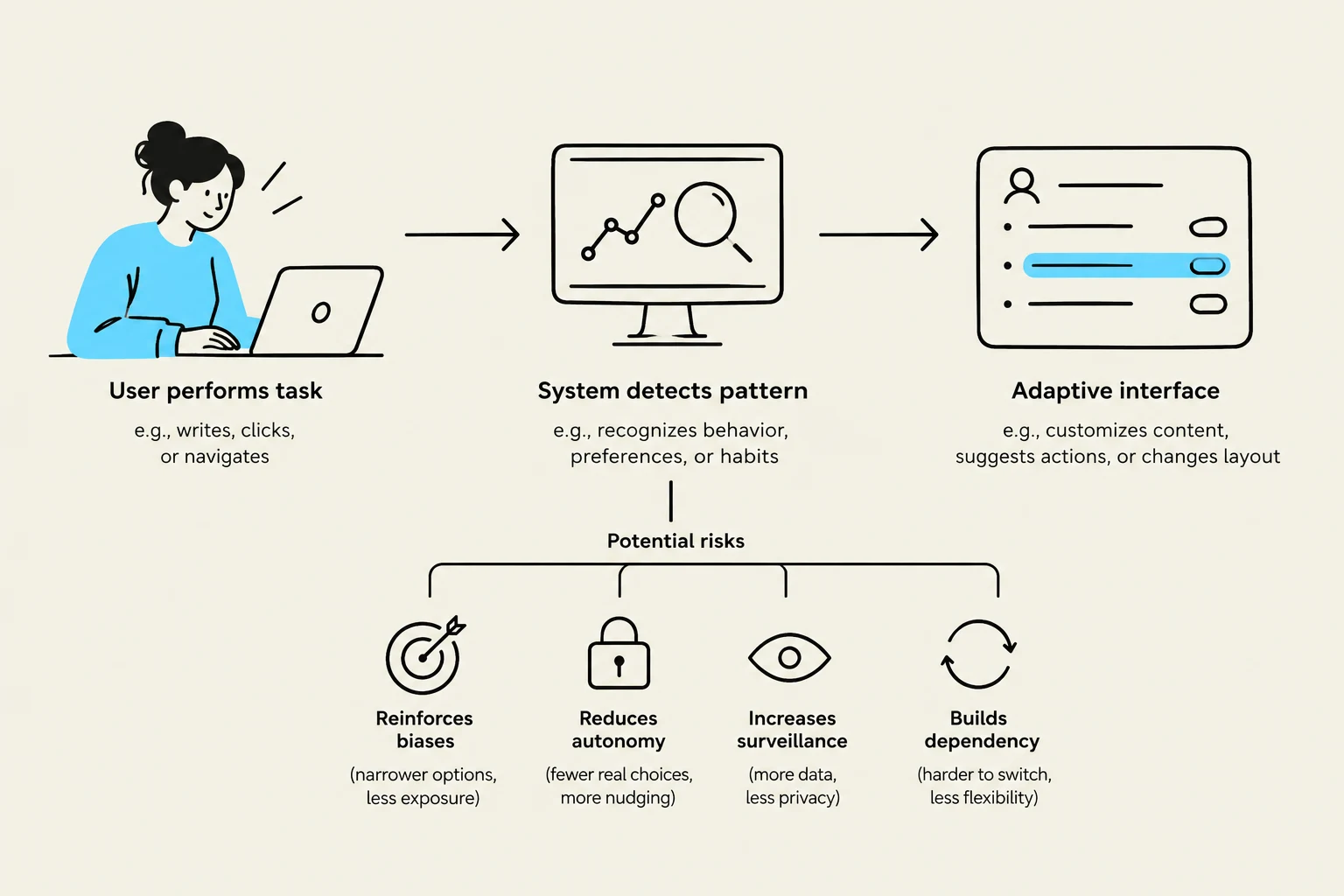
To create effective autonomous agents or even semi-automated systems, designers often use user modeling for adaptive interfaces. This involves the system keeping track of a user's performance and adapting its behavior to suit their specific needs.
An adaptive interface might automatically adjust:
Response times and the length of messages.
The density of feedback provided.
The content of menus or the order of menu items.
The type of feedback or the content of help screens.
While this sounds ideal, it carries significant risks. If a system changes its interface too abruptly, it can be problematic. A user might pause because they are confused by a change, or they may find themselves unable to predict the next change or interpret what has happened. If the user cannot restore the system to a previous state, the "help" provided by the automation becomes a hindrance rather than an aid.
This diagram illustrates how user actions are tracked by a system to create an adaptive interface, and outlines potential risks such as reinforced biases, reduced autonomy, increased surveillance, and built dependency.
Maintaining Agency: Tools and Visualization
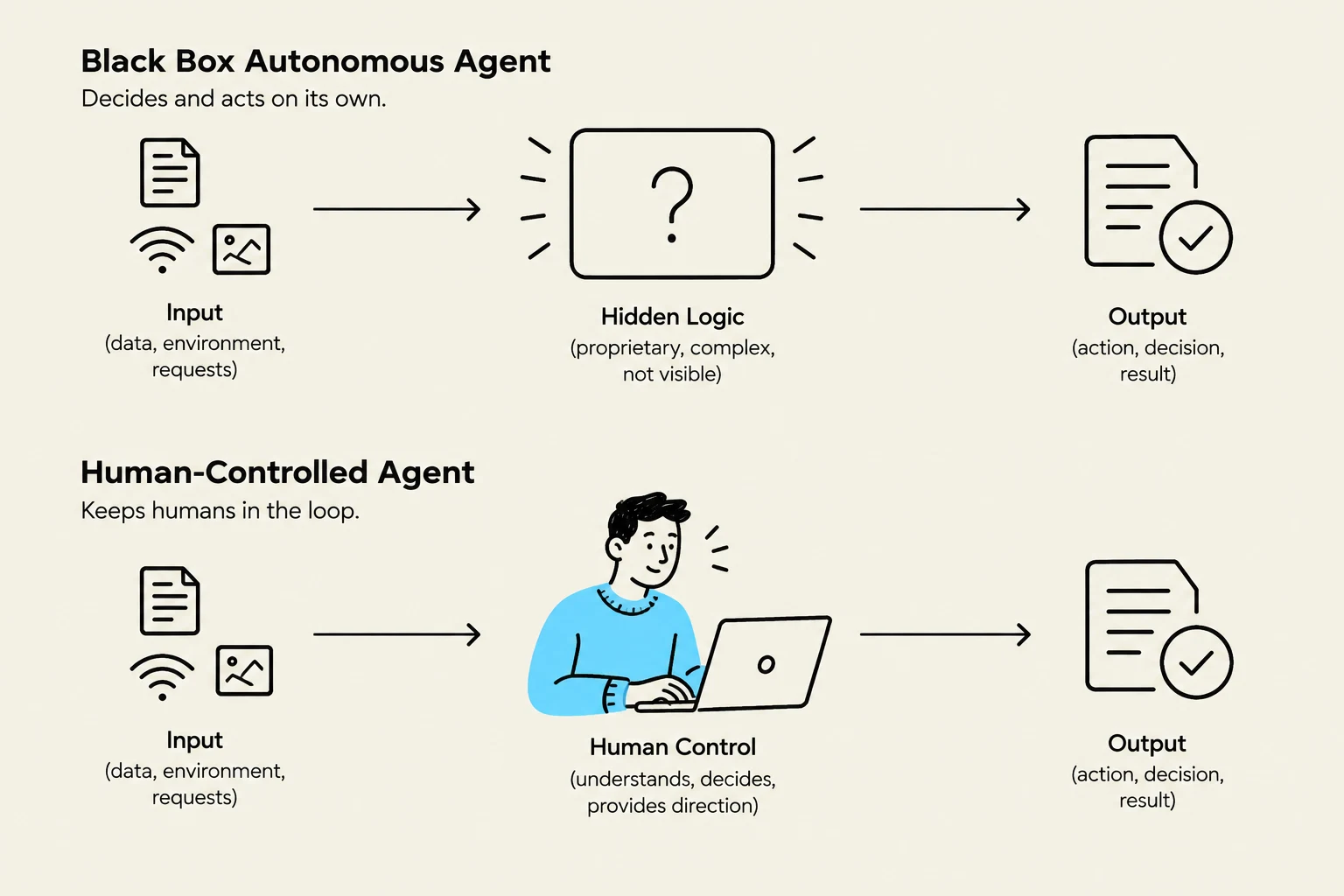
Because of the risks associated with unpredictable autonomous agents, designers often opt for an alternative: providing the user with more sophisticated ways to maintain control. Instead of the system making decisions for the user, the system provides better ways for the user to make decisions.
Tool-like Interfaces and Control Panels
Rather than an agent that "thinks" for you, a tool-like interface provides direct, predictable interaction. A primary way to achieve this is through the expansion of control panels.
Control panels allow users to set specific parameters and establish personal preferences. Examples include:
Adjusting physical parameters like cursor blinking speed or speaker volume.
Setting preferences for time/date formats or color schemes.
Customizing the content of start menus.
Information Visualization
Another powerful way to support human control is through information visualization tools. By transforming raw, complex data into visual representations, these tools help users process information more efficiently. This supports the high-level goal of "efficient information assimilation" and helps reduce the "memory load" on the user. When a user can see patterns and trends visually, they are better equipped to perform the critical decision-making that automation cannot handle.
This diagram illustrates the difference between a black box autonomous agent and a human-controlled agent, showing their respective inputs, processing logic, and outputs.
Summary of Design Principles
When designing for automation, the overarching goal is to adhere to the fundamental principles of interface design, such as the "8 Golden Rules". Specifically, designers must:
Keep users in control: Ensure that automation supports rather than supplants human agency.
Prevent errors: Use automation to catch mistakes (like auto-completion) rather than creating new ones through unexpected changes.
Provide informative feedback: Ensure that when the system does act, the user understands why and what happened.
By balancing the efficiency of automation with the necessity of human oversight, designers can create systems that are both powerful and reliable.
Keep reading for free.
Create an account to finish this reading and make it part of your study routine.